
Elsevier Evolve
Evolve Link provides an easy way to link content from Elsevier products and resources directly into Brightspace.
Instructions for using the tool:
1. Request the Course/Resources you're looking to adopt.
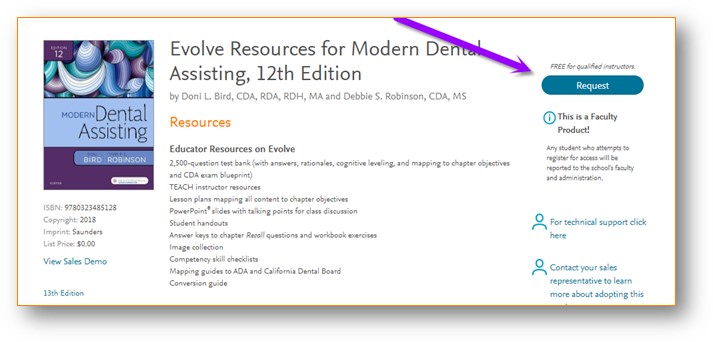
2. If you're looking to request your course through Evolve, select EVOLVE, CONTENT PLUS COURSE TOOLS... Go to Step 5.
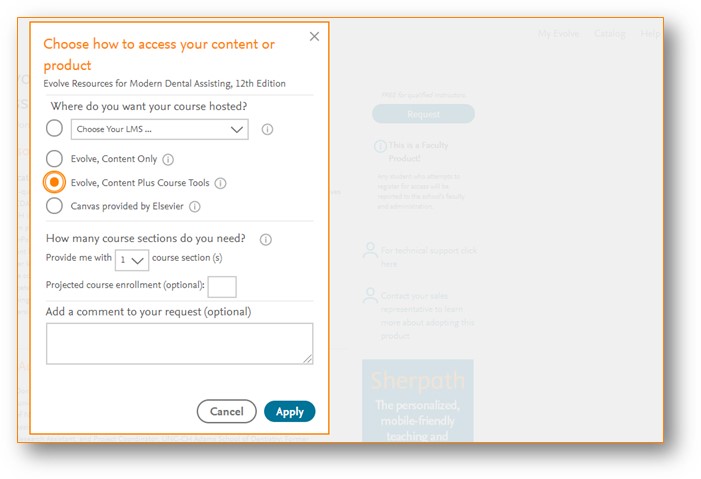
3. If requesting the course through Brightspace, choose your LMS from the dropdown.
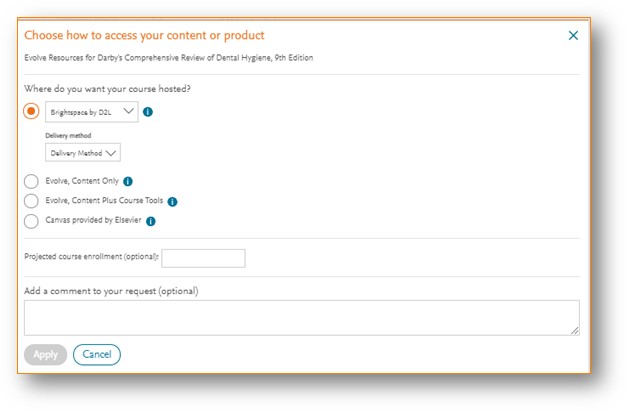
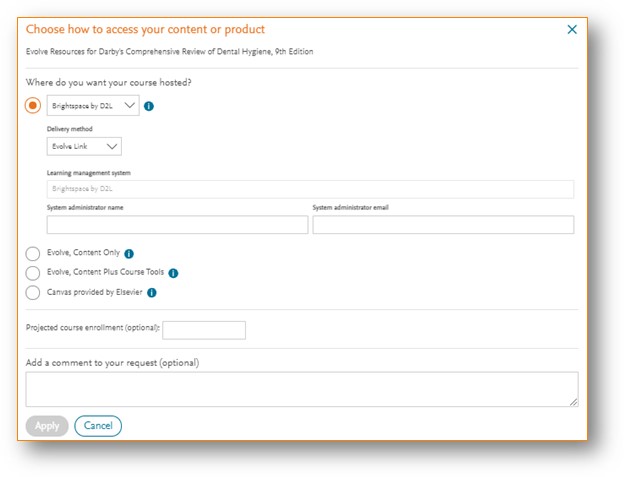
4. Choose EVOLVE LINK as the delivery method. From there, enter Travis Hunt for System Admin's Name and for email use online@nicc.edu. Then select APPLY.
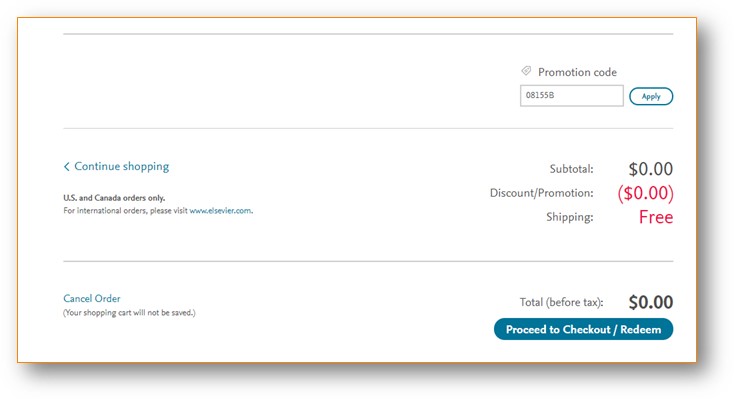
5. Scroll to the bottom of the page and select PROCEED TO CHECKOUT/REDEEM.
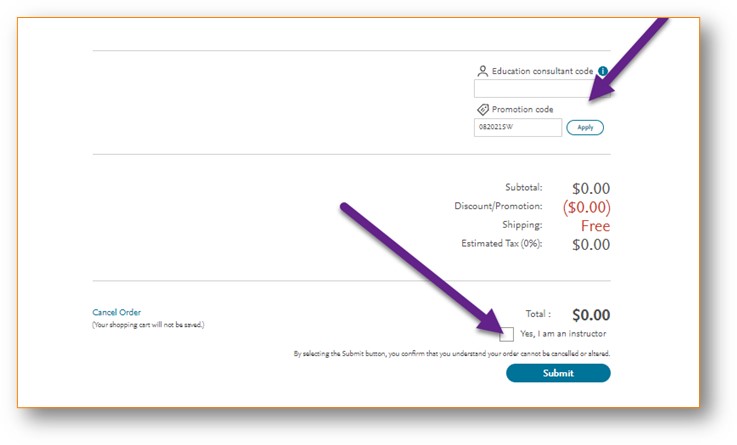
6. Scroll to the bottom again, enter EDUCATION CONSULTANT CODE: 70402. Check YES, I'M AN INSTRUCTOR and then select SUBMIT.
Support Contacts:
-
-
-
- Technical Support: https://service.elsevier.com/app/overview/evolve/
- Medical - Jose Gabriel Galang, j.galang@elsevier.com
- Health Professions - Nilad Caveneyro, nilad.cavaneyro@elsevier.com
- Nursing - Jen Edwards, jen.edwards@elsevier.com
-
-